Agent resume
Return to the Claude Code or Codex conversation associated with each terminal pane after reopening NeuroTerm.
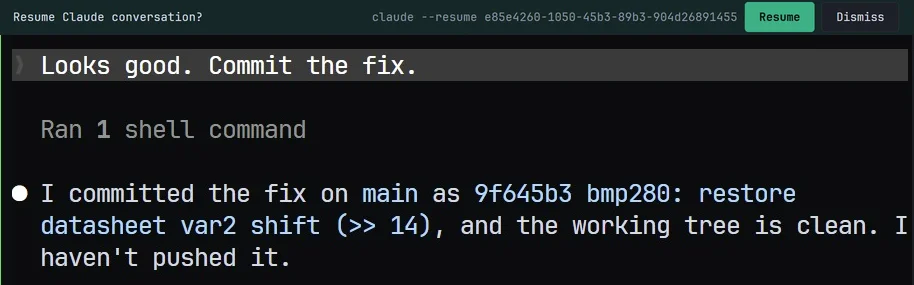
Install once per host
- Open a Local or WSL tab, or connect an SSH tab on the host where the agent runs. Install Claude Code or Codex on that host first.
- Open Settings → Session → Agent integration and choose Set up… for this computer, the WSL distribution or the connected SSH host. The tab offers the same step when an agent starts on a host that is not set up.
- Review the exact settings-file changes and confirm. NeuroTerm backs up changed files and preserves existing settings and hooks.
- Start your agent and send a prompt. The reporting hook associates its conversation with the pane. Repeat the install on every other host you use.
Use Update… when the hook is outdated. If a settings file contains invalid JSON, installation leaves it untouched: repair the file and retry. Serial sessions cannot install or resume agent conversations.
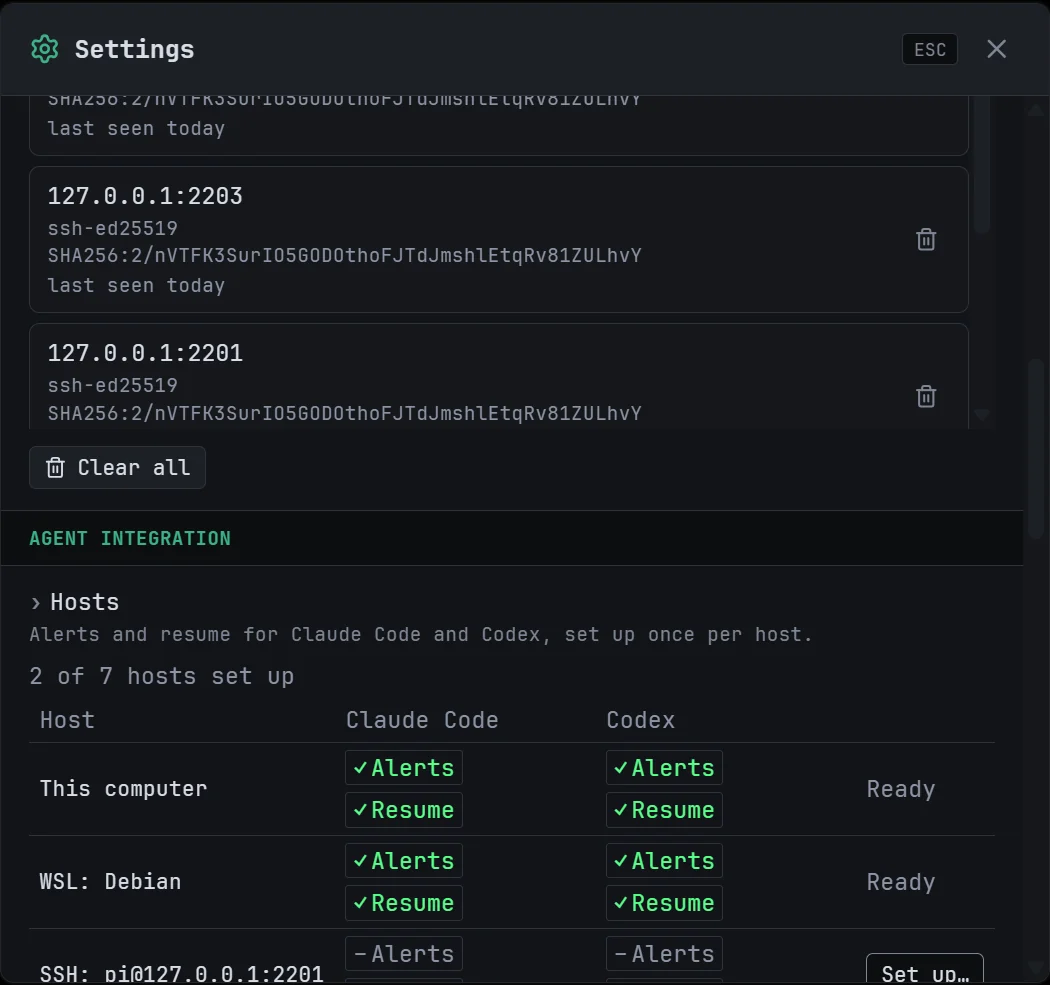
Relaunch versus reconnect
Auto-resume is on by default. After relaunch, NeuroTerm waits for the shell prompt and restored working directory, then runs the resume command for that pane’s recorded conversation. Supported recorded launch options, including model and permission mode, are preserved.
Turn off Resume agent conversations automatically in Settings → Session → Agent integration to review the command in a Resume banner first. After an in-session reconnect, the banner always requires your action; auto-resume does not run.
This resumes a conversation, not a running process. It does not keep an agent running through an SSH drop. Dismiss clears the stored resume record.
If no conversation returns
- Check that the hook is installed and current on the correct host, then start the agent again.
- A fresh Claude session needs its first prompt before a resumable transcript exists.
- A deleted conversation can fail to resume. NeuroTerm clears the record without retrying; start a new conversation.
- With Codex’s shared server, a new conversation in a folder containing two Codex terminals can be ambiguous. NeuroTerm avoids guessing which pane owns it; use distinct working directories.
For completion and input notifications, configure Agent alerts too.