Agent serial access
Let Claude Code and Codex use your serial tabs
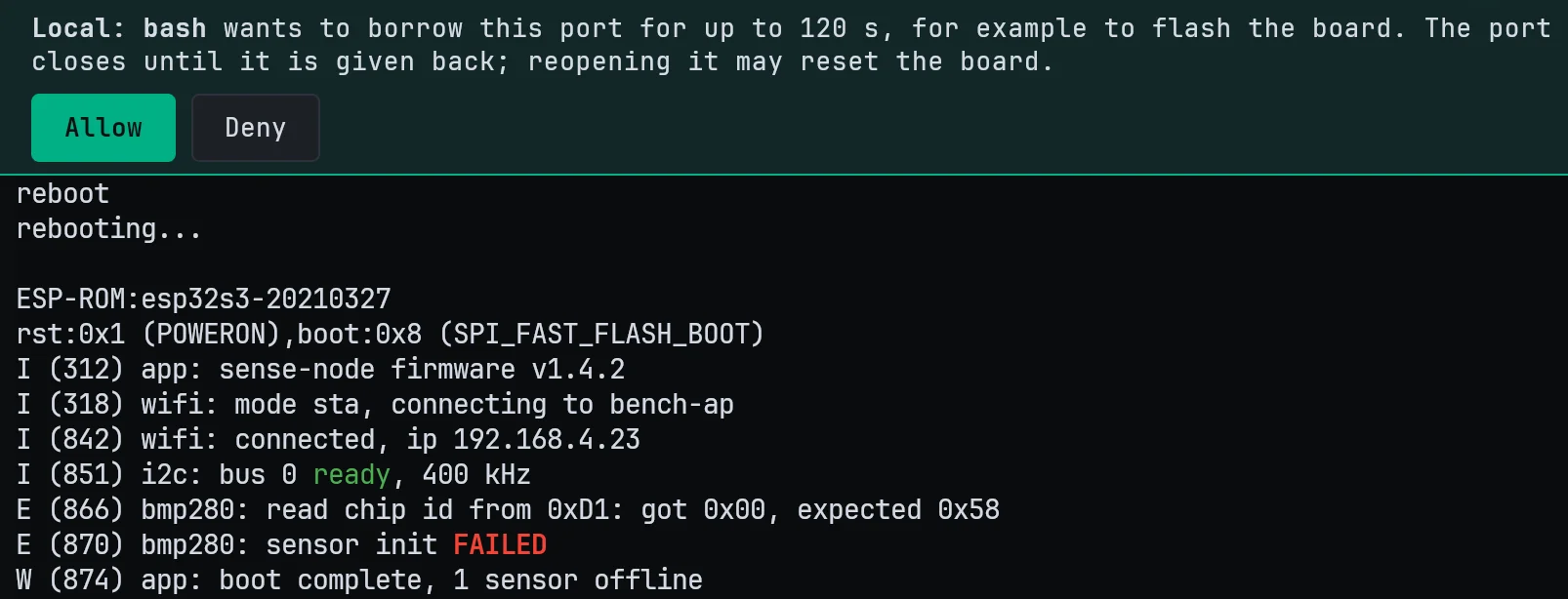
Agents read and wait on the board's console, and send to it with your OK.
Try it
- In Agent integration, choose Set up… next to Agent serial access.
- Start claude or codex in a Local or WSL tab.
- Ask it to read the boot log in your serial tab.
Agent alerts
Know when your agent is done
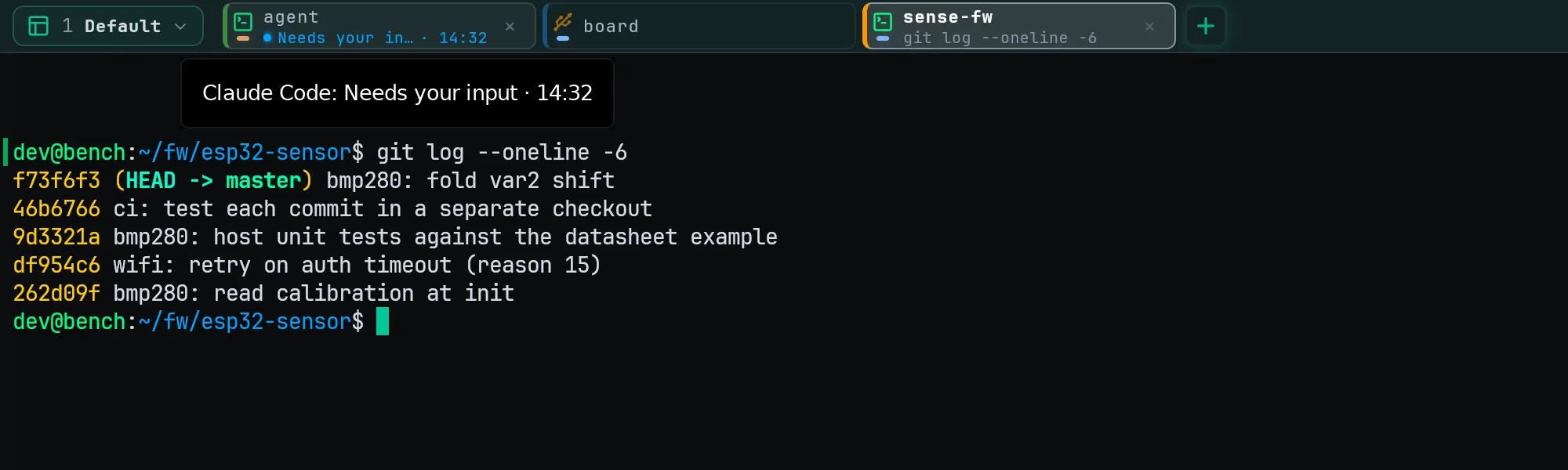
Taskbar flash and a tab badge when Claude Code or Codex finishes or needs you.
Try it
- Open a Local, WSL or SSH tab on the host where your agent runs.
- In Agent integration, choose Set up… next to Agent Alert/Resume.
- Press Send test alert, then switch tabs within five seconds.
Agent resume
Every agent conversation comes back after a restart
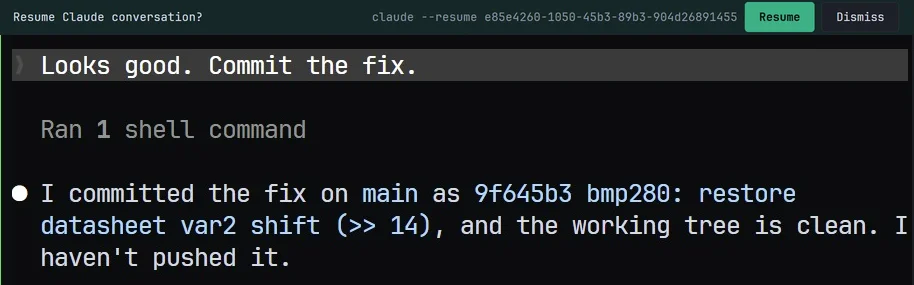
Each tab resumes its Claude Code or Codex session when NeuroTerm relaunches.
Try it
- In Agent integration, choose Set up… next to Agent Alert/Resume.
- Start Claude Code or Codex in a tab and send a prompt.
- Relaunch NeuroTerm: each tab resumes its own conversation.
NeuroFlash log search
Describe the symptom, jump to the log line
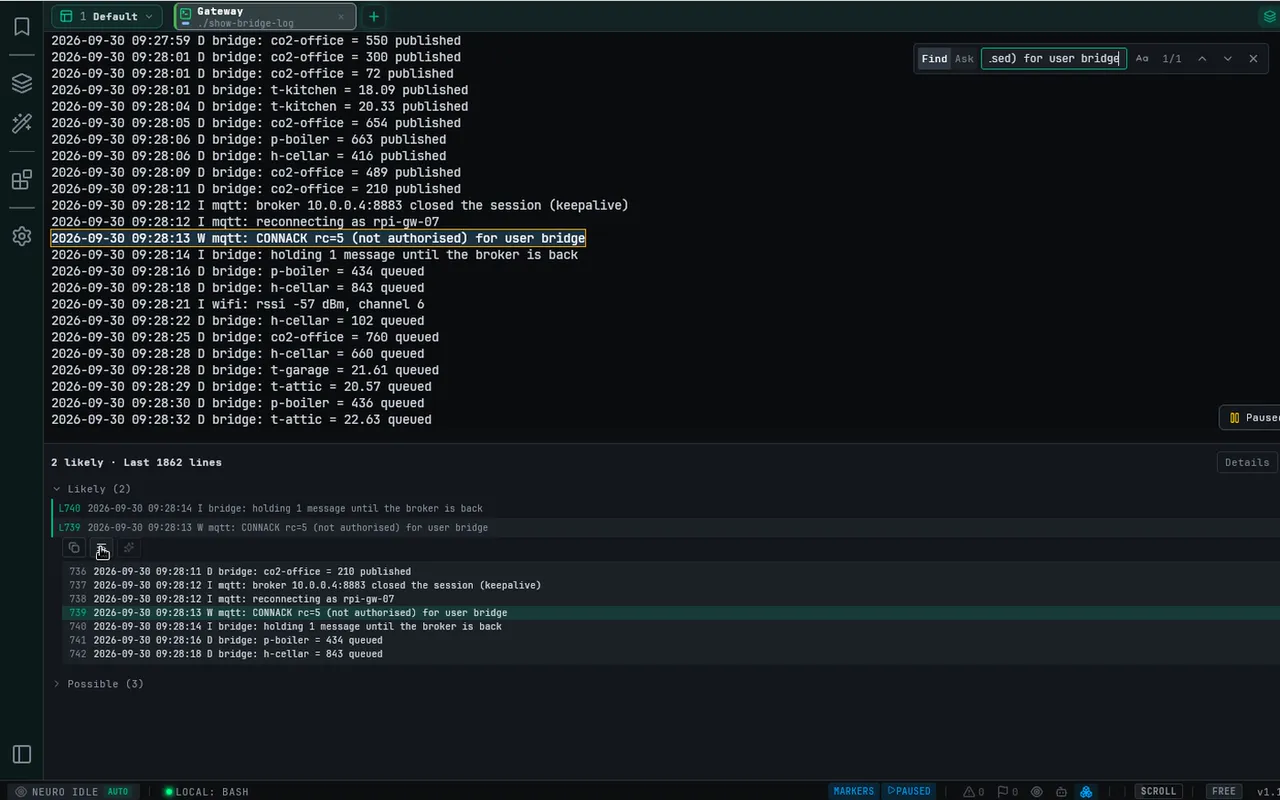
Ask in the find bar; NeuroFlash points at the lines that match.
Try it
- Add your OpenRouter API key in Settings → Neuro.
- Press Ctrl+Shift+F and switch the find bar to Ask.
- Describe the symptom, press Enter, then Find in terminal on a match.
All changes
- Free for individuals, including at work, with no limits — every feature, Neuro and local RAG included, with no request or document cap and no license check. Companies of more than 10 employees that roll NeuroTerm out to their staff buy Commercial seats
- Agent alerts and Agent resume — when Claude Code or Codex in a tab finishes or waits for you, you get a notification, the taskbar flashes and the tab is marked; after a relaunch each tab resumes its own conversation. One Agent integration setup per host installs the hooks
- Agent serial access — Claude Code and Codex can read your serial tabs, wait for a boot line, list the ports and export a log; when you allow it they type into a port, reset the board or borrow the port for flashing
- NeuroFlash log search — press Ctrl+Shift+F, switch to Ask, describe a symptom and press Enter; Jev finds the matching log lines through your own OpenRouter account, and secrets are redacted before anything is sent
- Local shell — native PowerShell, Windows PowerShell or cmd on Windows and your own shell on Linux, as a tab next to serial, SSH and WSL
- Tabs and workspaces — undo a close with Ctrl+Alt+Z, Merge into Tab, the running command on each tab, and stacked workspace cards where Ctrl+Tab jumps to the agent that is waiting
- Filter and Files panels — a live list of a tab's matching lines that jumps to them; for SSH and WSL tabs a Files panel with refresh, keyboard navigation, safe delete, progress from the click and multi-file drag-out
- Upgrading from 1.10 — re-index your RAG documents once (Context panel → Reindex all documents) and re-run Agent integration on each host (Settings → Coding agents)