Terminal Use
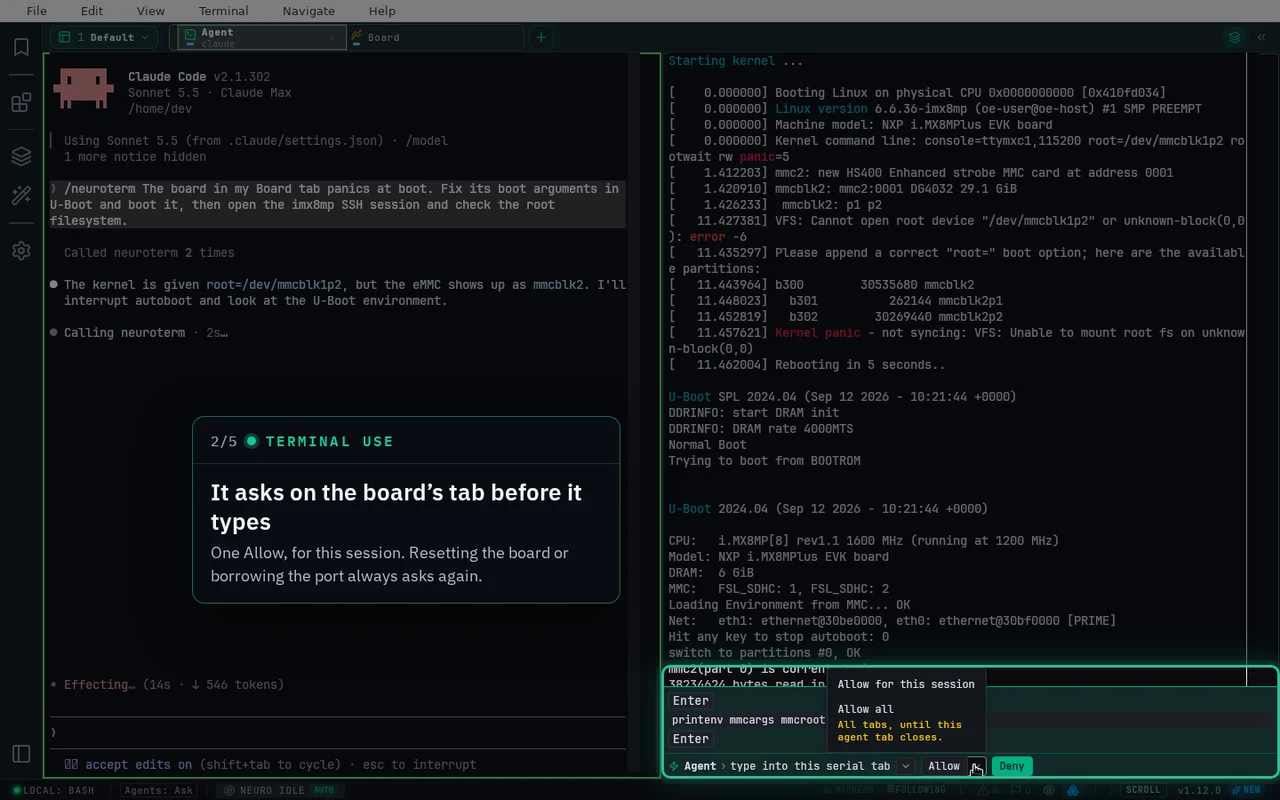
Agents can now work in every tab
Claude Code and Codex read, wait on and, with your OK, type into SSH, WSL, Local, TCP and serial tabs.
Try it
- In Coding agents, choose Set up… next to your host.
- Start claude or codex in a Local or WSL tab.
- Ask it to check your board; press Allow on the tab.
Plugins
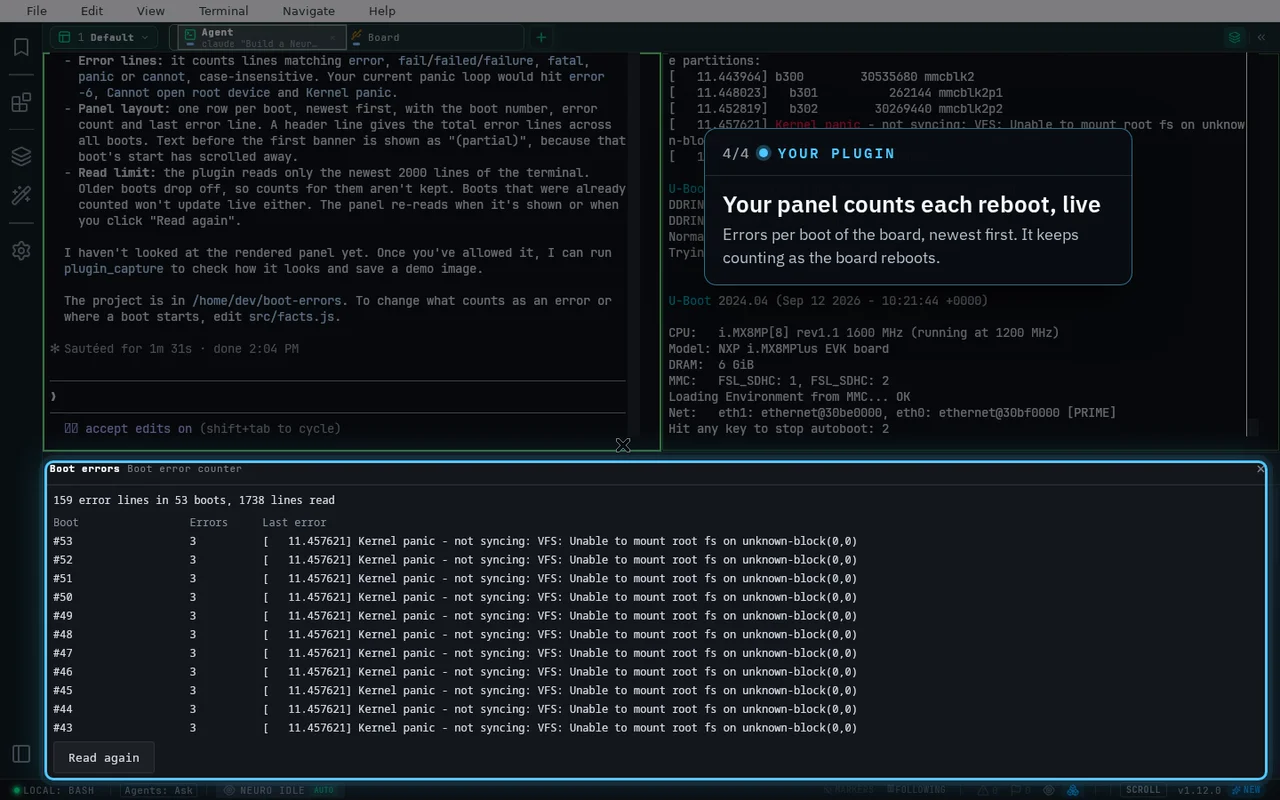
Ask your agent to build a plugin for your board
Describe a log panel or decoder; the agent builds it, you allow it once and it runs sandboxed.
Try it
- Open My local in Settings → Plugins.
- Press Start on a starter prompt to hand it to your agent.
- Allow the plugin when it asks; its panel opens.
Image paste
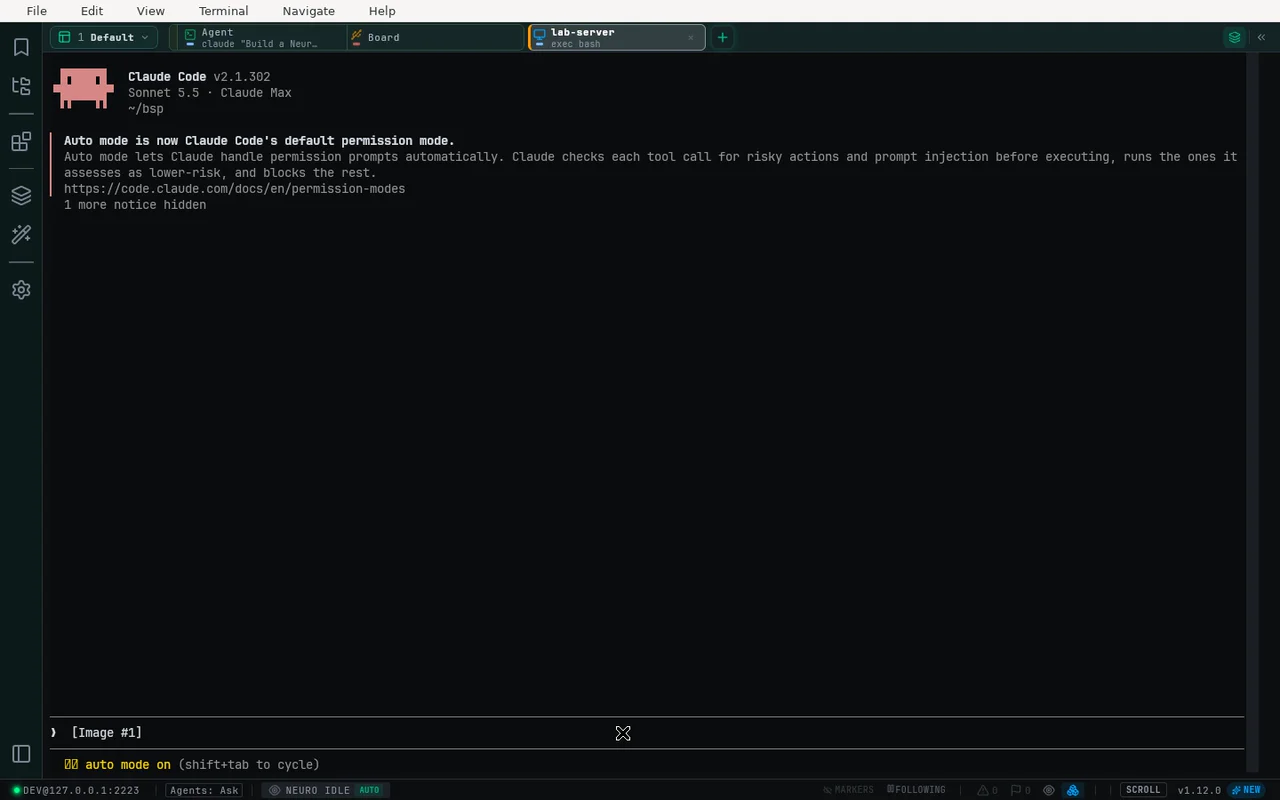
Paste a screenshot to an agent over SSH
Ctrl+V an image or copied files in an SSH tab; NeuroTerm uploads them and types the path.
Try it
- Copy a screenshot or files.
- Click the SSH tab where Claude Code runs.
- Press Ctrl+V; Claude Code attaches the image.
All changes
- Terminal Use — Claude Code and Codex work in your serial, SSH, WSL, Local and TCP tabs: they read the output, wait for a line, run commands and, each time you allow it, type into the tab. One light bar on the tab they target is the whole approval
- Fewer approvals, fewer tokens — agents run several commands behind one approval, find tabs by name or strip number, and use their own shell for this computer. Start a request with /neuroterm in Claude Code or $neuroterm in Codex
- Plugins — ask your agent to build a plugin for your board, such as a log panel, a protocol decoder or a marker for your crash pattern; you allow it once and it runs sandboxed. Plugins can read a tab's live output, type into it with your approval and drive serial lines
- NeuroFlash is now a built-in plugin, and Settings → Plugins manages every plugin and its options in one place
- Agent alerts also fire when Claude Code or Codex stops on an error
- Paste a screenshot or copied files into an SSH tab — NeuroTerm uploads them and types the path, so Claude Code on the remote host attaches the image
- A raw TCP session with J-Link RTT and OpenOCD RTT presets, a searchable Settings, and a start screen that opens straight to your sessions
- Upgrading from 1.11 — re-run Setup for each host in Settings → Coding agents so your agents get Terminal Use and its allow rules